

S
Sam made your Weeknight ShakshukaI Made This · 2h

12CommentSave recipe
Save recipes from any video or website, then see which ones you can make tonight with what's in your fridge.
Save recipes from
Save from anywhere
Send any Reel, TikTok or recipe site to Saucepan. You get ingredients, steps, a photo and credit to the creator, often before you close the sheet.
Reel




What can I make?
Snap your fridge or say what you have. Saucepan checks your saved recipes first and shows what's missing.
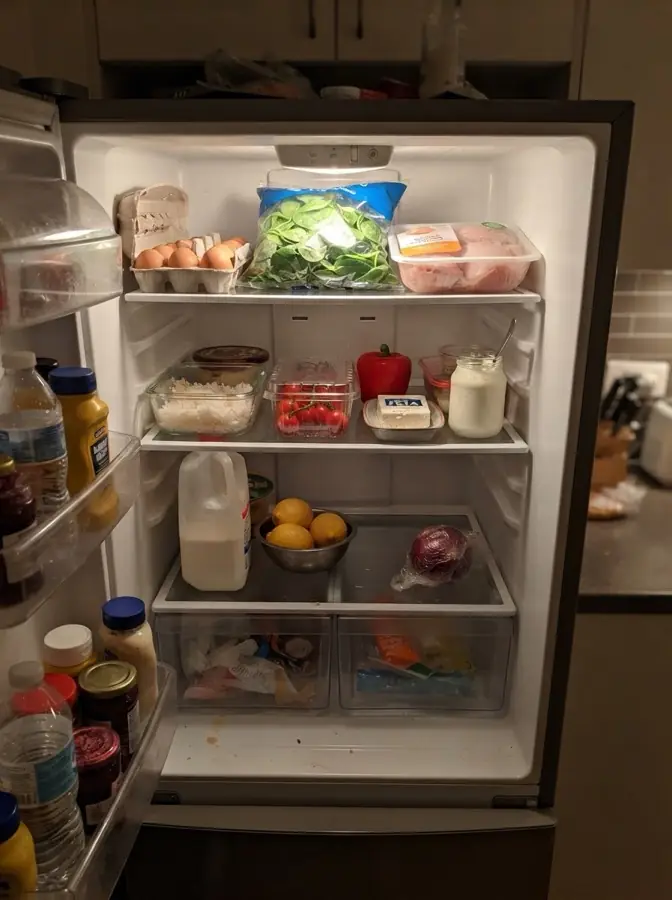
 Eggs
Eggs Tomatoes
 Spinach
 Feta
Feta Lemon
Lemon
Cook Mode
One step at a time, in large type. Tap "8 minutes" to start a timer. Timers ring like an alarm, even on silent. Say "next" or "how much butter?" with messy hands.
Add the spinach and stir until just wilted, about 20 seconds.
New Apple HomeView
From November 13, tonight's dinner, your timers and your current step show on Apple HomeView, readable across the kitchen. Nothing to install.
Saucepan on HomeView ›Tonight
Lemon Chicken
Start 6:15 · 50 min
Timers
Step 4 of 6
Add the spinach and stir until just wilted, about 10 seconds.
Your collection
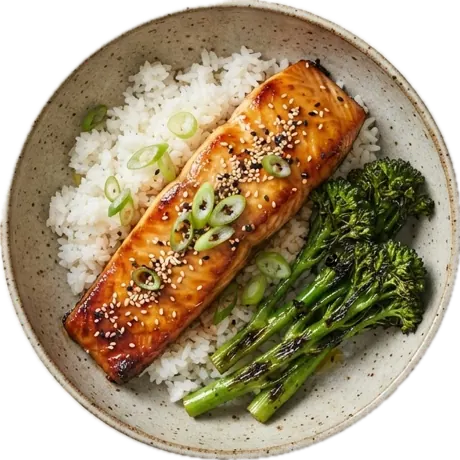
Saucepan lifts each dish from its photo and sets it on a color sampled from the food.
Share and follow
Share a recipe with everyone, only your friends, or anyone with the link. Follow cooks you like and tap I Made This to show them how it went.

Filters that fit
Set your diet and allergies once, for everyone you feed. Discover and your own recipes show what fits, and flag the one ingredient that doesn't, with a swap.
All 8 recipes

Allergy flags are free for everyone. They're a guide, not a guarantee: always check labels on packaged foods.
Plan and shop
Fill My Week suggests dinners from your collection. Add them all to Groceries, merged and sorted. Check items off and the list gets shorter.
Cook Together
Invite your household with a link. Share collections, the meal plan and the grocery list, so whoever's at the store sees the same list. Everyone's diets are checked.
Pricing
Free
$4.99 a month or $34.99 a year · 14-day free trial
Instagram, TikTok, YouTube, Pinterest, Facebook and any recipe website, from the Share button. You can also scan cookbook pages and handwritten cards. Each recipe keeps credit to its creator.
Yes, with no ads. Saving, Cook Mode, timers, Meal Plan, Groceries, sharing and allergy flags are free. Saucepan+ adds unlimited What Can I Make?, unlimited Make It Mine, Smart Week planning and up to 6 household profiles for $4.99 a month or $34.99 a year, with a 14-day free trial.
Yes. Cook Mode timers ring like an alarm, and you can follow them from the Lock Screen, Dynamic Island, Apple Watch and CarPlay.
Yes. Set diets and allergies once (vegan, vegetarian, pescatarian, kosher, halal, gluten-free, dairy-free, no pork, no alcohol, and common allergens). Discover and your own recipes show what fits, flag the ingredient that doesn’t, and suggest a swap. Flags are a guide, not a guarantee: always check labels.
You choose for each recipe: Public (in Discover and on your profile), Friends (only people who follow you), or Link only (anyone with the link). Everything else stays private.
Yes. HomeView shows your iPhone's widgets and Live Activities, so Saucepan's Tonight, Timers, Quick Cook and Make It Again widgets and the Cook Mode timer appear there with nothing to install.
Yes. Ask "What’s for dinner in Saucepan", "Next step in Saucepan" or "Set a cooking timer in Saucepan". Every action is also in Shortcuts and on the Action button.
Android is coming soon. Saucepan is on iPhone today, and recipes you share already open in any browser, on any phone.
No. Saucepan works without one. Sign in only when you want to share, follow friends or cook together with your household.
Your recipes are yours, and the app has no ads. The Privacy Policy explains what's stored and why. This website uses Google Analytics to count visits.